

A cluttered digital life affects focus, patience, and emotional balance in everyday routines more than many people expect. Work files, family photos, messages, and reminders often live across devices without shared logic. Over time, this background disorder creates quiet mental fatigue, even when daily responsibilities seem under control.
Digital organization is not about perfection, minimalism, or constant productivity. It functions as a lifestyle support practice that helps information feel reliable when needed. When digital systems are steady, attention stays available for work, parenting, rest, and personal priorities without ongoing background strain.
This guide explains how to organize your digital life using practical, realistic systems. The emphasis stays on clarity, emotional steadiness, and sustainability rather than rigid rules. Each section stands alone and explains concepts clearly so changes can happen gradually, without pressure or unrealistic expectations.
Organize digital life calm: Understanding Digital Overload as a Lifestyle Issue
Digital overload usually builds slowly through emails, files, photos, and messages saved without intention. Many people keep information just in case, which feels protective at first. Over time, volume itself becomes a source of friction, making even simple digital tasks feel heavier than necessary.
Wellness educators often describe digital overload as an attention issue rather than a technology problem. Scattered information forces frequent context switching, which can increase irritability and mental tiredness. This experience is common for working parents who already manage overlapping responsibilities across home and work life.
Organizing digital spaces supports emotional steadiness by reducing unnecessary decisions. When files and messages have predictable locations, the mind spends less effort searching and remembering. This creates a calmer baseline that supports daily functioning without claiming any therapeutic or medical effect.
A Practical Philosophy for Organizing Digital Life
A helpful starting point involves shifting from subject based storage to action based organization. Instead of sorting by vague topics, information is grouped by how it is actually used. This approach reflects real behavior and reduces hesitation when saving or retrieving digital items.
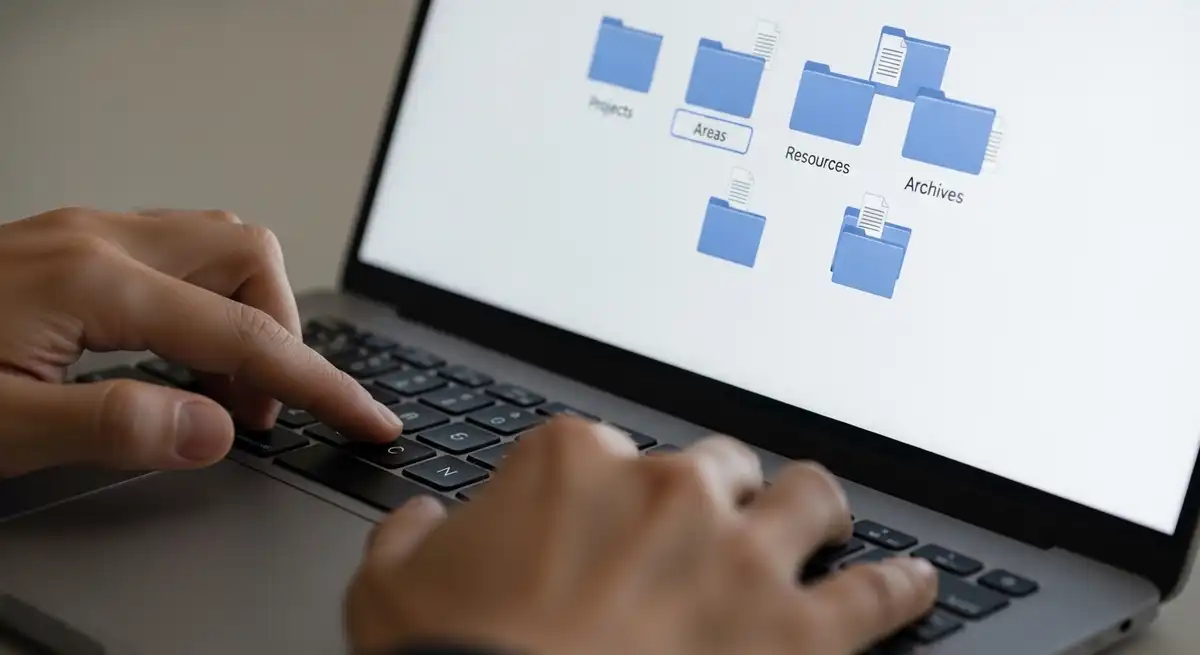
Action based organization is commonly associated with the PARA framework, Projects, Areas, Resources, and Archives. Projects hold time bound efforts, areas represent ongoing responsibilities, resources store reference material, and archives contain inactive content. This structure keeps active information visible while preventing clutter from spreading.
Many people find this philosophy easier to maintain because it matches how priorities change. When a project ends, its materials move out of daily view without deletion. This supports emotional comfort by reducing fear of loss while keeping active spaces lighter.
Creating a Stable Folder Structure
A stable folder structure supports consistency across devices and platforms. Digital archiving guidance commonly recommends limiting folder depth to three levels. Shallow structures reduce cognitive load and prevent confusion caused by deeply nested folders.
Broad categories with clear names are easier to scan and remember. A single Projects folder often works better than dozens of narrow categories. This simplicity supports faster decisions, especially on busy days when attention is already stretched thin.
Consistency matters more than finding the perfect structure. Once a system is chosen, keeping it stable builds trust. That trust reduces mental friction and helps organization feel supportive rather than demanding.
Organizing Files Around Real Projects
Project based file organization treats each active effort as a self contained space. Documents, images, notes, and references related to one goal live together. This mirrors physical workspaces and reduces context switching during focused work.
Clear project boundaries make it easier to start and stop work without mental residue. Closing a project folder signals completion, while archiving it provides closure without loss. This structure supports clarity and prevents unfinished work from lingering visually.
Project folders also simplify sharing and collaboration. Everything needed sits in one place, reducing last minute searching. This practical benefit often encourages long term use without external motivation.
Managing Areas of Responsibility
Areas represent ongoing responsibilities without clear end dates. Examples include household management, health records, finances, or parenting related information. These differ from projects because they require maintenance rather than completion.
Separating area files from active projects prevents constant visual clutter. This distinction reduces guilt around tasks that are not meant to be finished. It also helps people recognize that some responsibilities are ongoing by nature.
For working parents, area folders often include school updates, schedules, or caregiving documents. Predictable storage reduces stress during time sensitive moments. This serves as practical lifestyle support rather than a productivity tactic.
Using Resources Without Hoarding
Resource folders store information that may be useful later but is not currently active. Articles, templates, guides, and learning material fit here. These resources support growth without demanding immediate attention.
Saving information often feels safer than deciding its value. A dedicated resource space allows saving without cluttering active folders. This balance protects focus while respecting curiosity.
Regular review prevents unchecked accumulation. Removing outdated or unused resources keeps the collection relevant. This supports a healthier relationship with information consumption.
Archives as Emotional Closure
Archives hold completed projects and inactive materials. Moving items to archives provides psychological closure without forcing deletion. This respects emotional attachment to work and memories.
Archived content stays out of sight but accessible. This reduces visual noise and supports mental separation between past and present responsibilities. Over time, archives become references instead of distractions.
Archives also support long term record keeping. Financial documents, creative work, and milestones remain accessible if needed. This balance between preservation and clarity supports sustainability.
File Naming as a Support Tool
File naming reduces friction when done consistently. Clear names allow files to stand alone without folder context. This matters when files are shared or searched across devices.
Effective names include what the file is, its context, and dates when relevant. Avoiding vague labels reduces confusion later. This practice supports clarity without additional tools.
Standard date formats like YYYYMMDD ensure reliable sorting. This habit prevents misinterpretation and improves long term usability. Over time, it becomes automatic.
Simple Version Control for Everyday Use
Version control prevents accidental overwriting and confusion. Simple markers such as draft or v2 keep progress visible. This mirrors professional workflows in an accessible way.
Keeping older versions temporarily allows recovery if needed. Once finalized, earlier versions can be archived or deleted. This keeps active folders clean while respecting the creative process.
Clear versioning supports shared environments. It reduces misunderstandings and duplication. This improves collaboration without adding complexity.
Email as an Ongoing Input Stream
Email often causes stress because it constantly demands attention. Treating email as an input stream rather than a task list reframes its role. Messages represent information requiring decisions, not obligations.
Inbox organization focuses on clear actions instead of volume. Emails can be handled, deferred, referenced, or archived. This approach reduces repeated reading and mental clutter.
Consistency matters more than an empty inbox. Regular processing builds trust that nothing important is lost. This supports calmer engagement with communication.
Applying Simple Email Categories
Many people benefit from four basic categories, follow up, waiting, read later, and archive. Each category reflects a different relationship with time and responsibility. This simplifies decisions when opening messages.
Categorization reduces emotional reactivity. Messages receive a clear status instead of competing equally for attention. This supports steadier focus during busy periods.
Over time, inbox anxiety decreases. Email becomes predictable rather than overwhelming. This supports healthier boundaries between work and personal life.
Automation as Attention Protection
Email filters and labels automate repetitive sorting. Newsletters, receipts, and notifications can be routed automatically. This reduces visual noise and protects attention.
Automation supports wellbeing by minimizing interruptions. Important messages stand out without manual effort. This aligns digital environments with human attention limits.
Initial setup takes time but saves effort daily. Many people find this worthwhile once systems stabilize. It supports sustainable routines rather than quick fixes.
Managing Digital Photos with Care
Digital photos accumulate quickly and carry emotional meaning. Organizing them requires care rather than aggressive deletion. The goal is preservation with clarity, not reduction for its own sake.
Removing duplicates and blurred images reduces volume without losing meaning. Similar image detection tools help gently. This step alone often brings noticeable relief.
Intentional selection turns photo libraries into curated memories. Images become easier to revisit and share. Storage stress also decreases over time.
Safe Long Term Photo Storage
Long term photo storage benefits from redundancy. Multiple copies in different locations protect against loss. This approach aligns with personal archiving guidance.
Cloud storage combined with local backups balances access and security. Periodic migration prevents data loss from aging formats. This proactive care supports peace of mind.
These practices are practical rather than technical. They become part of normal maintenance over time.
Digital Security as Lifestyle Support
Security supports emotional safety by protecting personal information. Services with strong encryption reduce worry about data exposure. This matters for family documents and sensitive records.
Understanding basic security features empowers informed choices. Two factor authentication and encrypted storage are widely accessible. These tools support trust without constant vigilance.
Security does not need to be perfect to be effective. Consistent basic safeguards reduce risk significantly. This balanced approach fits realistic lifestyle management.
Mindfulness Principles in Digital Organization
Mindfulness in digital life involves noticing habits without judgment. Observing how information is saved reveals patterns. Awareness supports intentional change rather than forced discipline.
Pausing briefly before saving items prevents accumulation. Knowing where something belongs reduces friction. This integrates awareness into routine actions.
Mindfulness here is attentional, not meditative. It remains practical and accessible.
Daily Maintenance Without Pressure
Daily maintenance works best when light and predictable. Short check ins prevent buildup and avoid major cleanups. This mirrors physical housekeeping.
Five minute reviews may include clearing desktops or processing email. These actions maintain order without heavy focus. Over time, they become automatic.
This approach respects limited energy, especially for working parents. Organization supports life rather than competing with it.
Weekly and Monthly Reviews
Weekly reviews provide a broader view. Reviewing projects and archiving completed work keeps systems aligned with reality. This supports flexibility.
Monthly reviews allow deeper adjustments. Outdated resources can be removed. Structures stay relevant.
These reviews remain optional supports. Skipping occasionally does not break the system.
Digital Organization for Working Parents
Working parents manage overlapping digital responsibilities. School communication, work files, and schedules coexist. Clear organization reduces friction.
Separate family folders support boundaries. Information stays accessible without mixing roles. Stress reduces during time sensitive moments.
Predictable systems support shared responsibility. Others can locate information without relying on memory alone.
Emotional Benefits Without Overstatement
Digital organization is often linked with reduced frustration. Many people feel calmer and more in control. Experiences vary.
Benefits come from reduced decision fatigue and visual noise. Tasks feel lighter. Emotional steadiness improves indirectly.
Organization is not a solution for emotional distress. It is a lifestyle support practice. Professional care remains essential when needed.
Fully Expanded FAQs

What is the best way to organize your digital life
The best way to organize your digital life involves simple action based systems that reflect everyday use. Separating projects, ongoing responsibilities, reference material, and archives helps maintain clarity. This structure supports consistency without requiring perfection or constant reorganization.
How do I organize my digital files and photos together
Files and photos organize well when gathered into one clear system. Removing duplicates and outdated items first reduces volume. Consistent naming and predictable folders help documents and images remain accessible without overlap.
What are the four categories of the PARA method
The PARA method includes Projects, Areas, Resources, and Archives. Projects cover time bound work, areas represent ongoing responsibilities, resources store reference material, and archives hold inactive content. This mirrors real workflows.
How can I declutter my computer files safely
Safe decluttering starts by deleting obvious duplicates and outdated items. Remaining files move into broad categories. Short sessions help avoid overwhelm and support consistency.
What are good file naming conventions for beginners
Good naming uses clear words, consistent structure, and dates when relevant. Avoid vague labels and symbols. This keeps files understandable even when shared.
How do I manage thousands of unread emails
Managing unread emails starts with accepting volume does not equal urgency. Archiving older messages and applying categories reduces overload. Consistent processing prevents future buildup.
Is there one app that organizes everything digitally
No single app organizes everything perfectly. Most people combine tools with clear systems. Habits matter more than software.
How do I organize years of digital photos without stress
Organizing old photos works best gradually. Remove duplicates and select meaningful images first. Backups ensure safety while keeping the process manageable.
How often should I maintain my digital organization system
Light weekly maintenance works best. Small check ins prevent clutter. Monthly reviews support adjustments without rigidity.
Is digital organization helpful for mental wellbeing
Digital organization is commonly linked with improved clarity and reduced frustration. It supports wellbeing indirectly by reducing decision fatigue. It is not a mental health intervention.
Editorial Conclusion
Learning how to organize your digital life means creating reliable systems that quietly support daily routines. Clear structures reduce background noise and improve trust in information. When digital spaces feel steady, attention shifts naturally toward work, family, and rest.
Medical Disclaimer
This content is for informational purposes only and does not constitute medical or mental health advice. It does not diagnose, treat, cure, or prevent any condition. Always consult a qualified healthcare or mental health professional regarding personal health concerns or symptoms.
For wider background on this, see the American Psychological Association on stress.
Keep reading
- Work-Life Integration vs Balance: A Calm, Practical Framework for Sustainable Living
- How to Organize a Digital Declutter Weekend: A Calm, Practical Guide for Modern Life
- 5 Apps That Help You Use Your Phone Less: A Calm, Practical Guide to Digital Balance
Tidying the mess and reducing the pull are two different jobs. How to Do a Digital Detox is the second one, in three tiers.